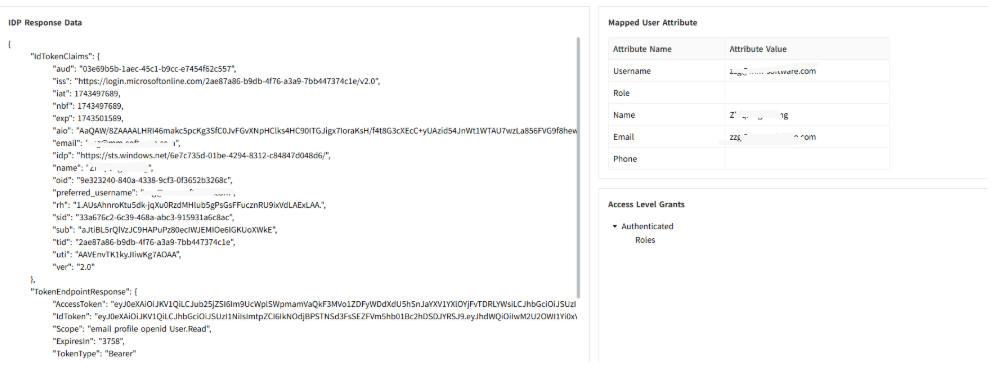
Azure AD integration with MFA
VC Hub identity provider supports integration with Azure AD (Microsoft Entra ID). After integration, users can sign in through Entra ID and use multi-factor authentication (MFA), which improves account security.
Prerequisites
- Access to Azure portal: https://portal.azure.com/
- Permission to create app registrations in Microsoft Entra ID
- VC Hub login URL and logout URL
- A test user account in Entra ID
Configure Microsoft Entra ID
- Sign in to the Azure portal, then open Microsoft Entra ID.
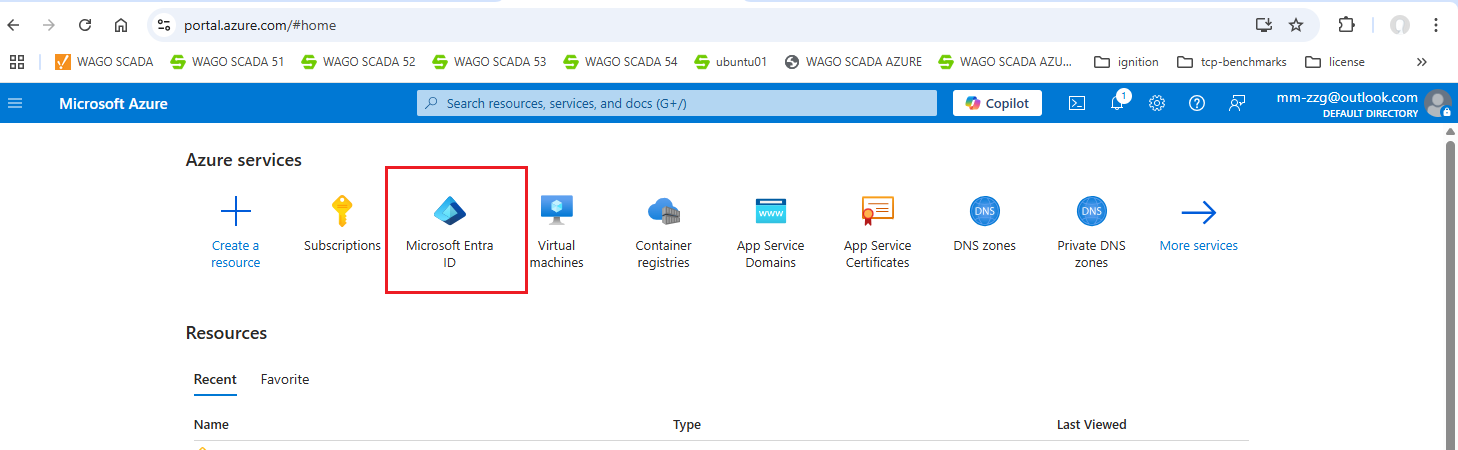
- In the left panel, select App registrations, then select + New registration.
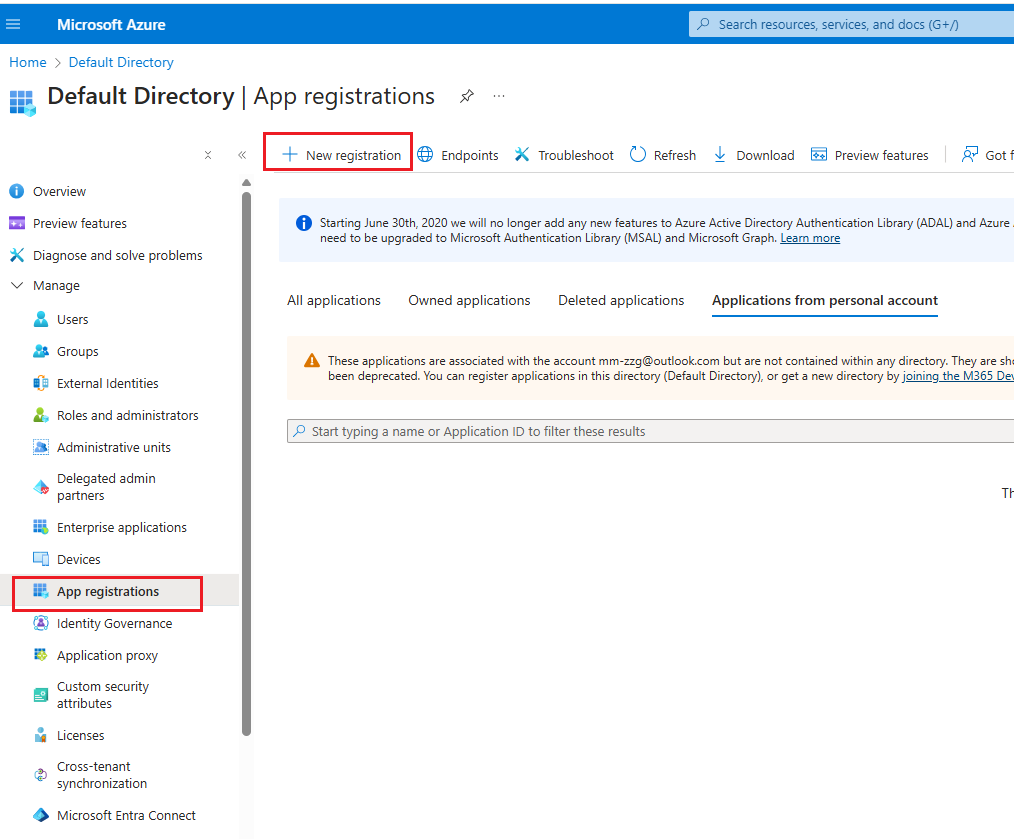
- Open Authentication for the app registration. In Web redirect URIs, add the VC Hub login URL and logout URL.
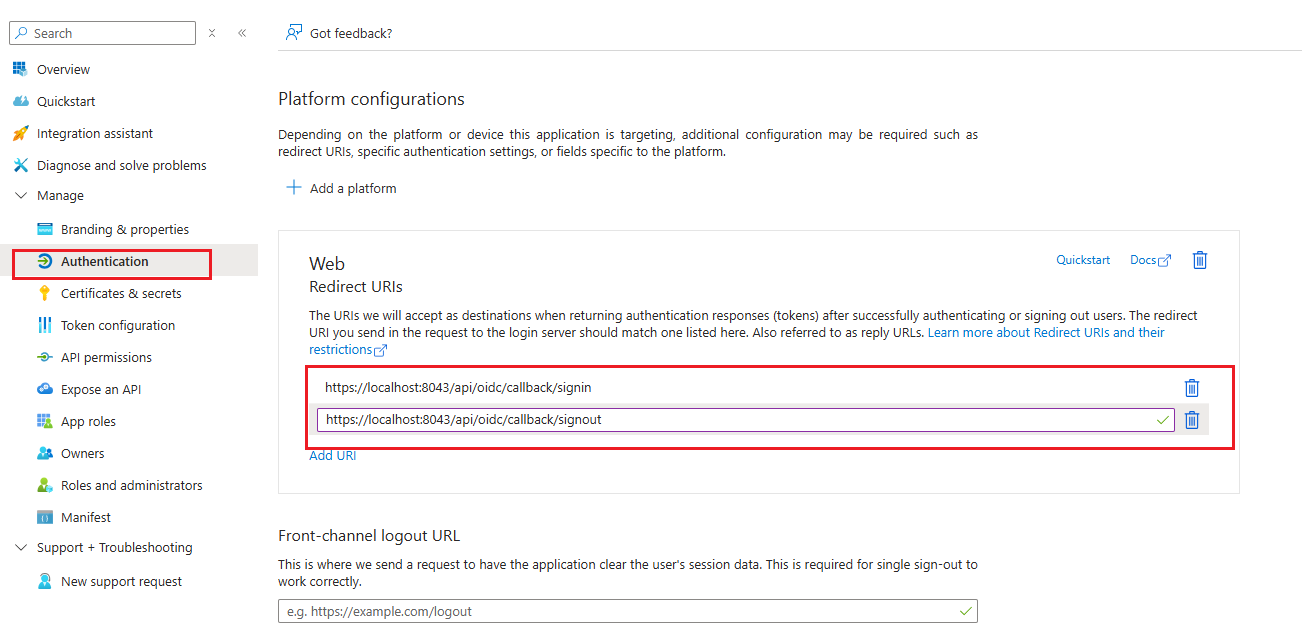
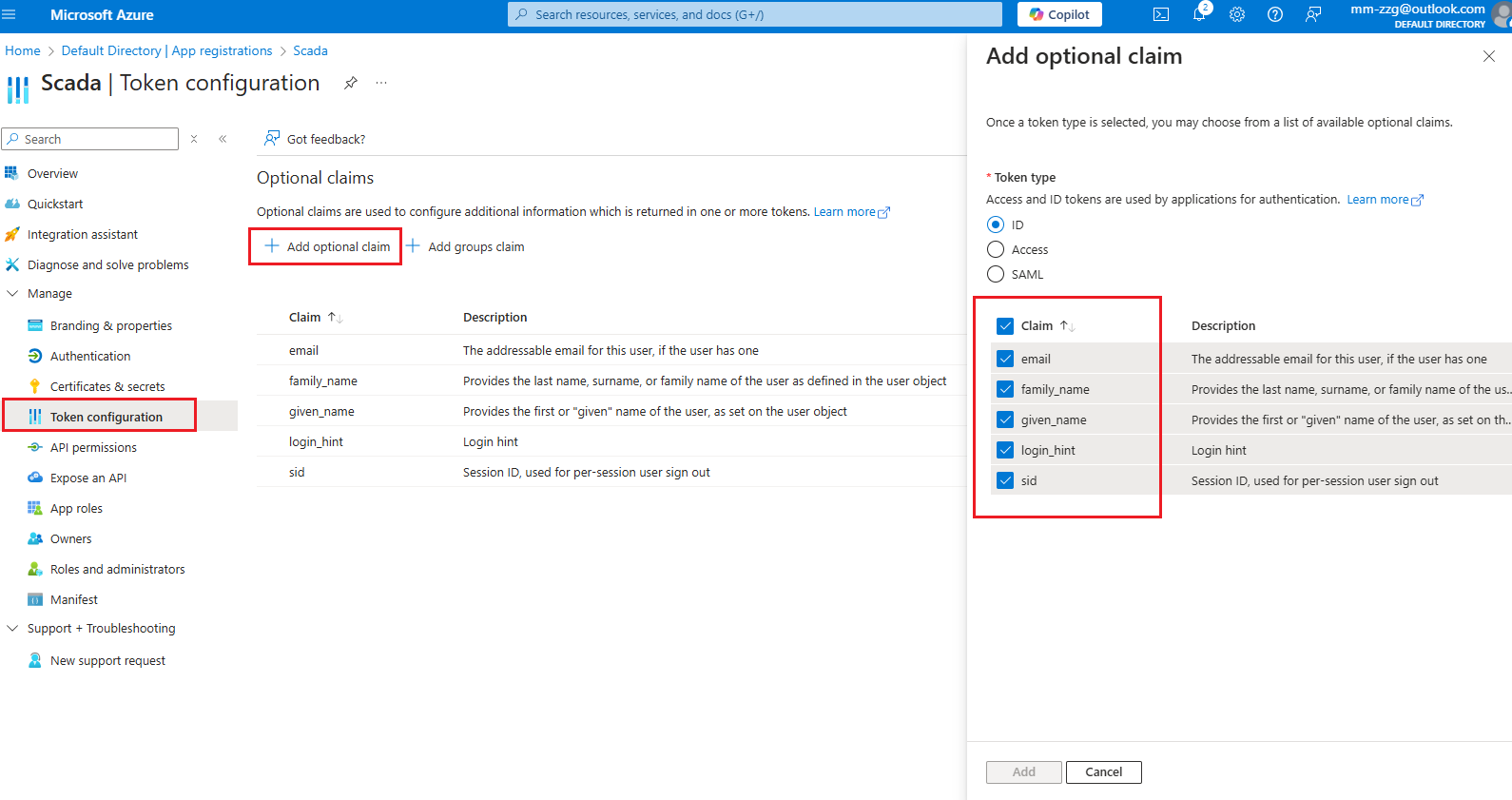
- Open Token configuration, then add the required optional claims.
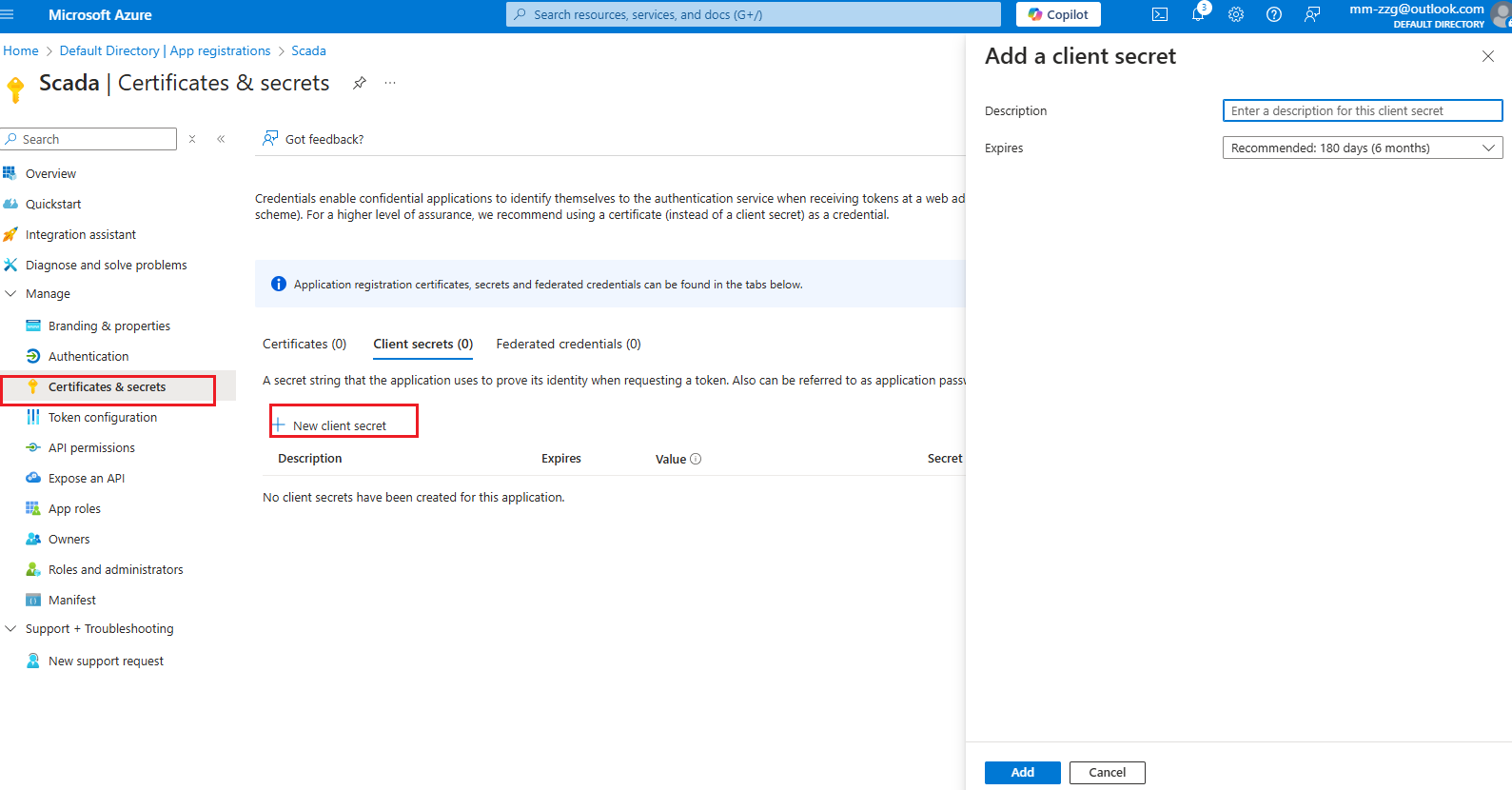
- Open Certificates & secrets, then create a client secret.
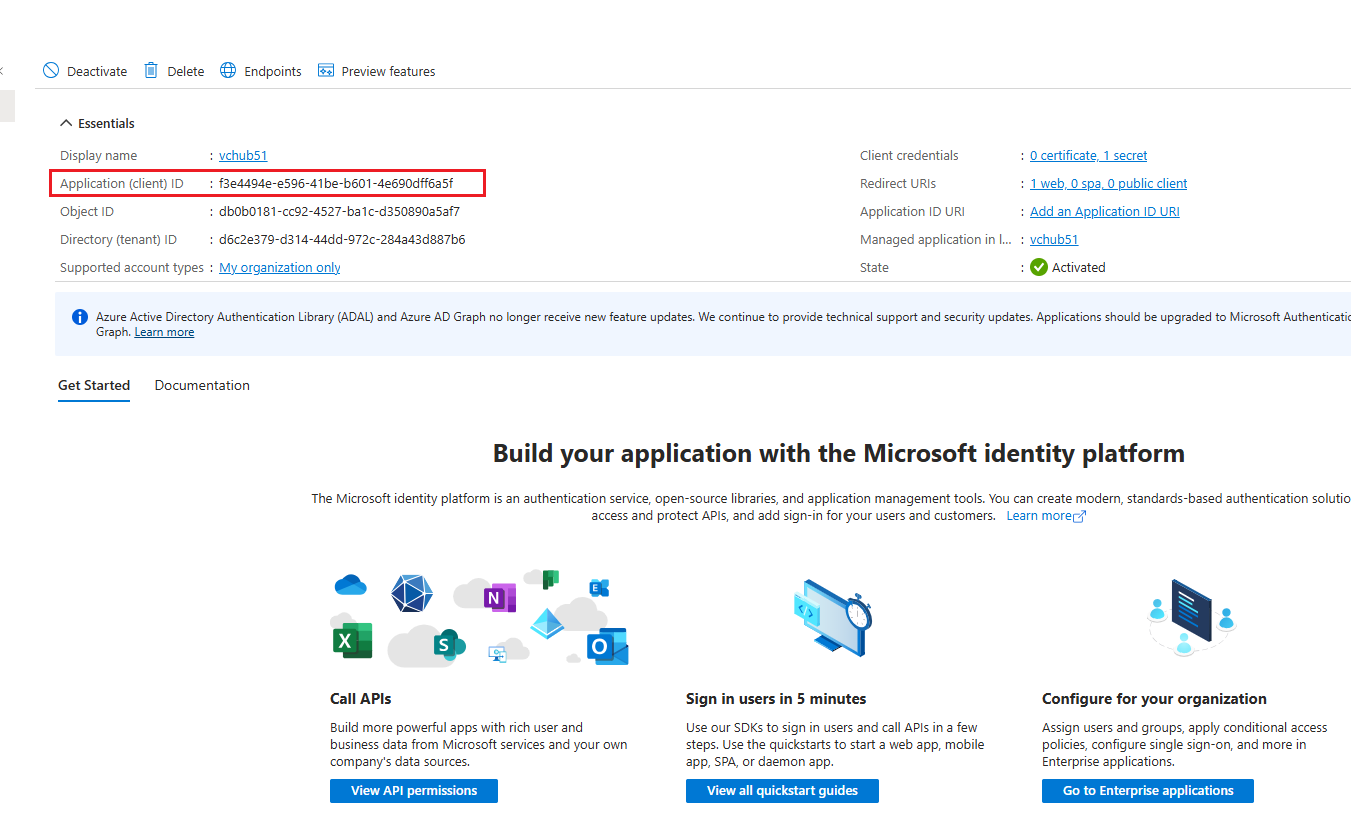
- Copy the Application (client) ID.
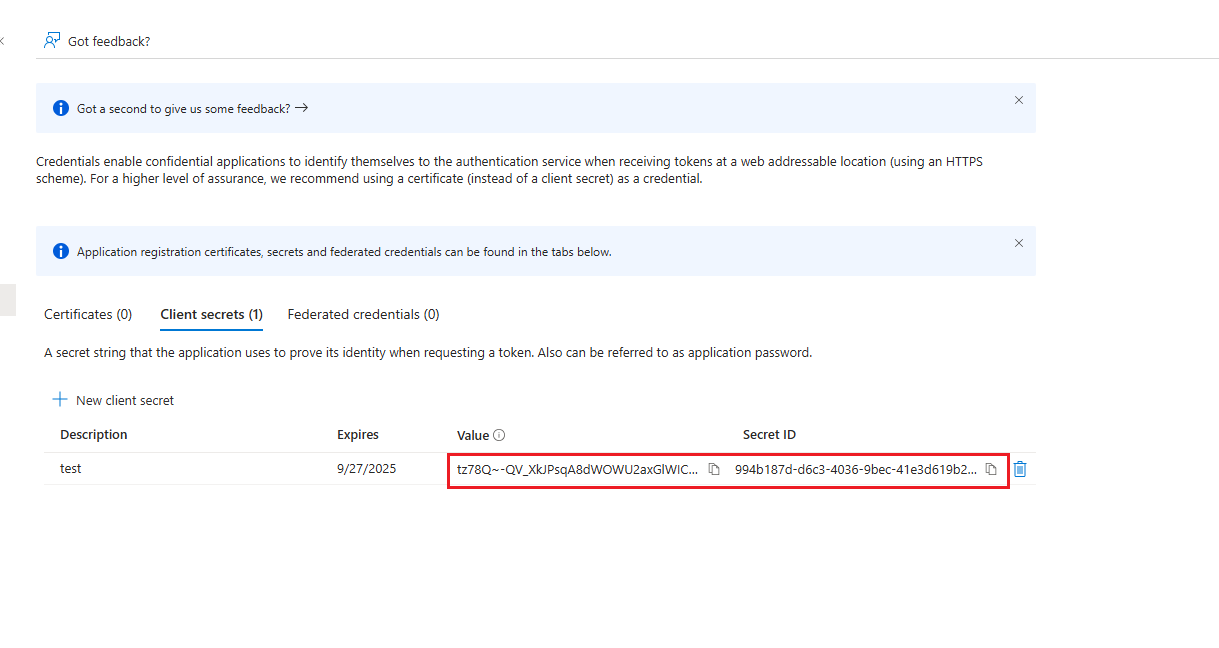
- Copy the client secret value.
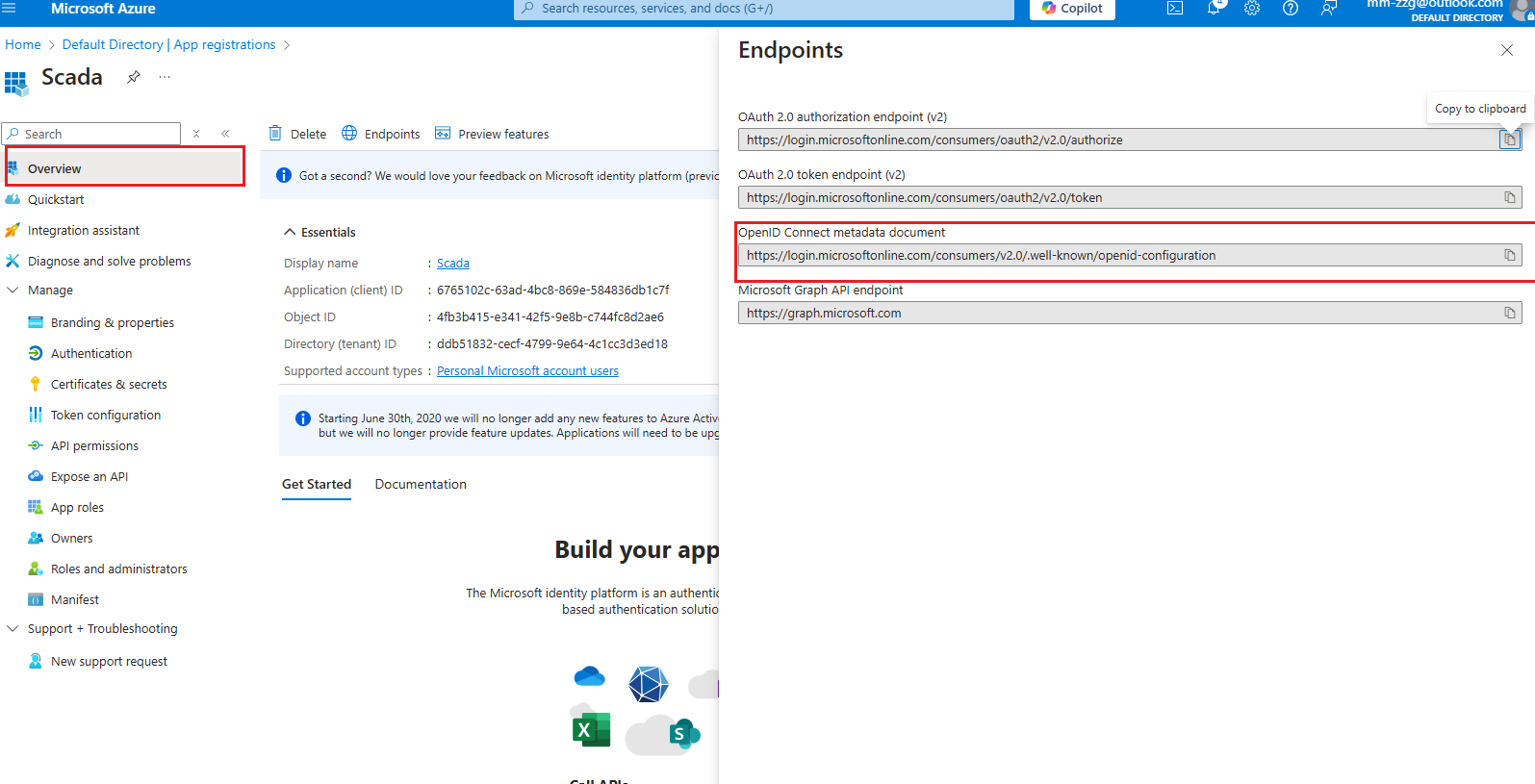
- Open Overview, select Endpoints, then copy the OpenID Connect metadata document URL.
Enable MFA for users
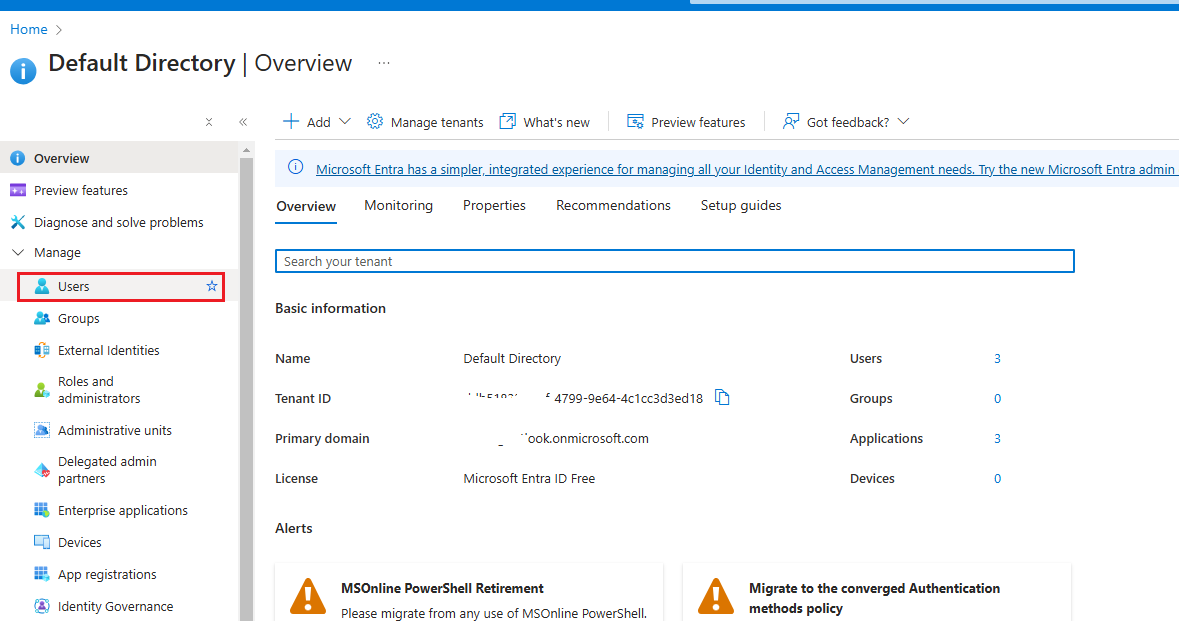
- Return to the root of Microsoft Entra ID, then open Users.
-
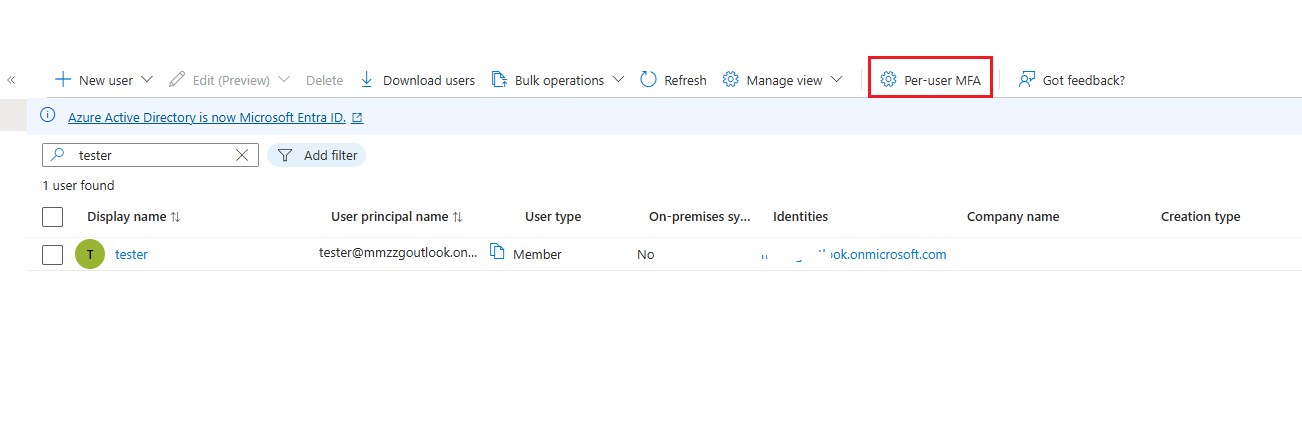
Select Per-user MFA.
-
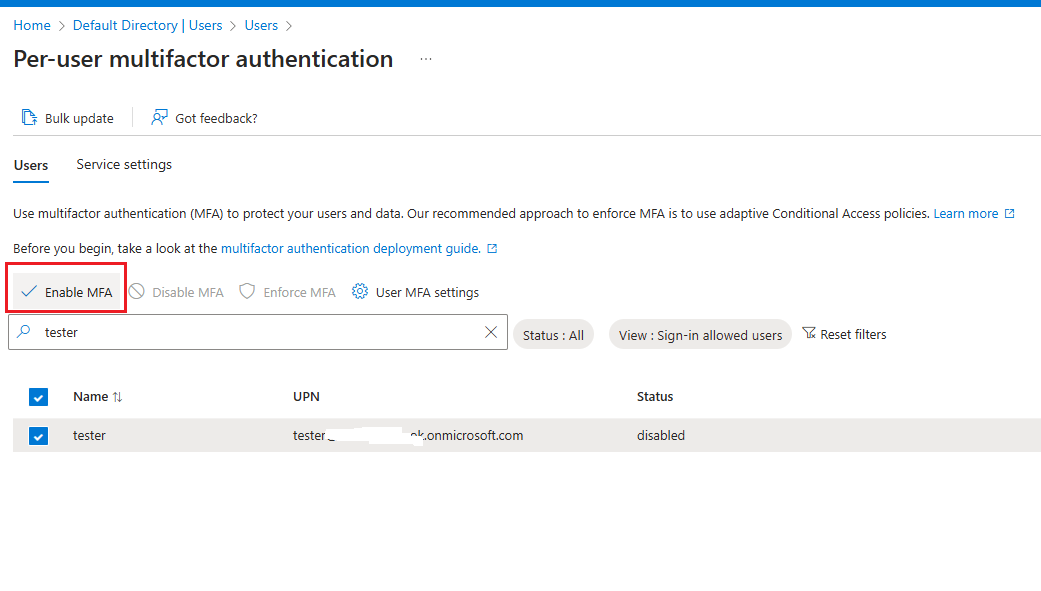
Select the target users and choose Enable MFA.
Configure VC Hub identity provider
-
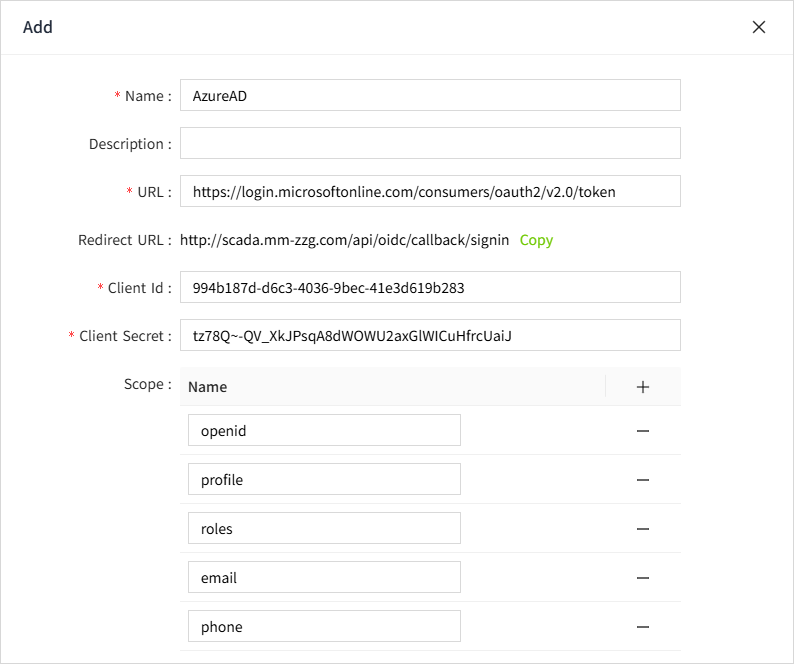
In VC Hub, open the identity provider page and create a new provider using:
-
Client ID
- Client secret
-
OpenID Connect metadata document URL
Verify the login flow
-
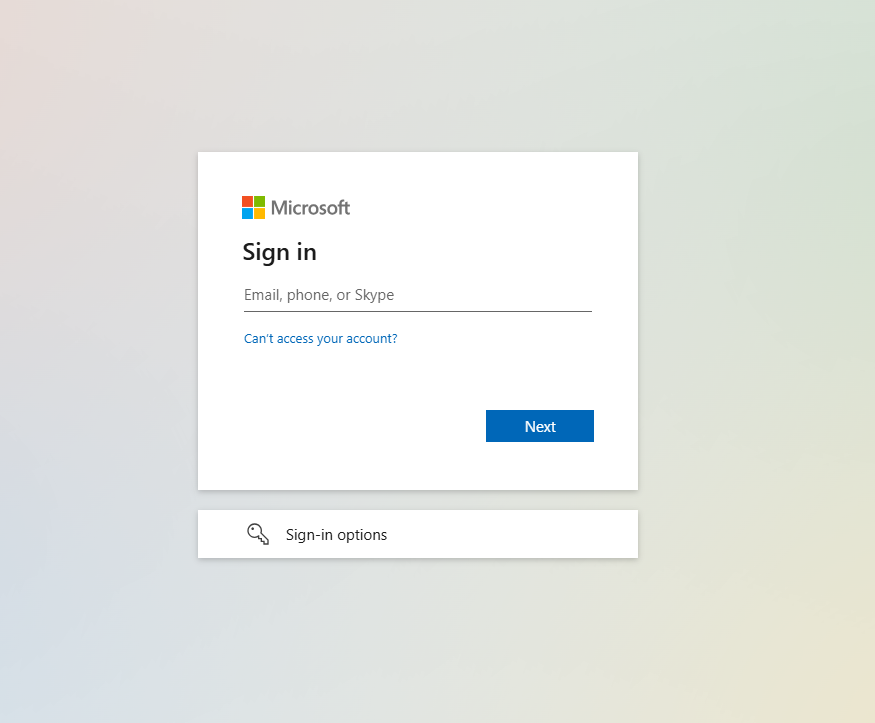
In the Azure AD provider settings, select Login Test. The browser should redirect to the Microsoft sign-in page.

-
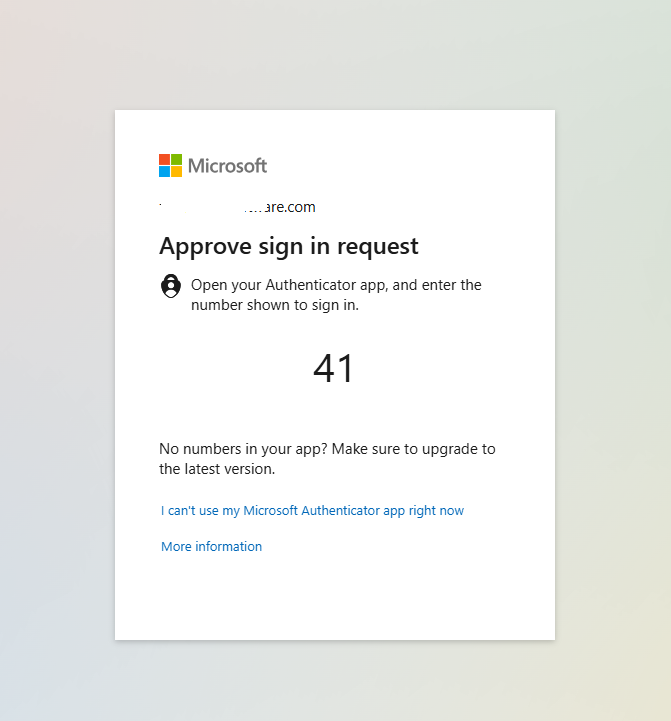
Sign in with a personal or domain account. A number-matching challenge is displayed.
-
Enter the number in Microsoft Authenticator on the mobile device to complete authentication.